

Monday, 22 Dec 2025
Subscribe
logo logo
  • Global
  • Technology
  • Business
  • AI
  • Cloud
  • Edge Computing
  • Security
  • Investment
  • More
    • Sustainability
    • Colocation
    • Quantum Computing
    • Regulation & Policy
    • Infrastructure
    • Power & Cooling
    • Design
    • Innovations
  • 🔥
  • data
  • revolutionizing
  • Secures
  • Investment
  • Future
  • Stock
  • Funding
  • Growth
  • Center
  • Power
  • technology
  • Top
Font ResizerAa
Silicon FlashSilicon Flash
Search
  • Global
  • Technology
  • Business
  • AI
  • Cloud
  • Edge Computing
  • Security
  • Investment
  • More
    • Sustainability
    • Colocation
    • Quantum Computing
    • Regulation & Policy
    • Infrastructure
    • Power & Cooling
    • Design
    • Innovations
Have an existing account? Sign In
Follow US
© 2022 Foxiz News Network. Ruby Design Company. All Rights Reserved.
Silicon Flash > Blog > Technology > Unlocking Hidden Android Features for a More Enjoyable Mobile Experience
Technology

Unlocking Hidden Android Features for a More Enjoyable Mobile Experience

Published December 5, 2025 By SiliconFlash Staff
Share
3 Min Read
Unlocking Hidden Android Features for a More Enjoyable Mobile Experience
SHARE
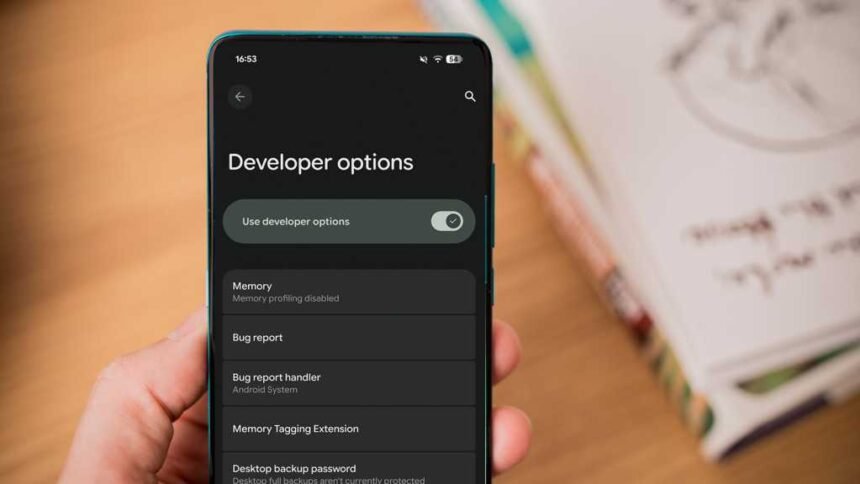
Think you’ve exhausted all the features in your Android smartphone’s Settings app? Think again. Deep within the Settings, there’s a hidden Developer menu with a plethora of settings to enhance your smartphone experience. Here are some developer settings that every Android user should consider enabling on their device.

How to activate the developer menu on your Android phone

To access the Developer settings, which are typically hidden for general users, you need to unlock the Developer menu. This can usually be done by tapping the Build Number in the About Phone section of the Settings app seven times. Once unlocked, you’ll see a message confirming your new developer status.

The location of the Developer menu may vary on different Android devices. On some phones, like the Pixel 10, it’s under the System option, while on Samsung Galaxy phones, it may be near the bottom of the Settings app. If you can’t find it manually, use the search function in the Settings app.

Display touch inputs

Enabling the Show Taps option in the Developer menu is useful for creating video tutorials on your Android device. This feature displays a translucent circle wherever you touch the screen, making it easier to highlight actions for viewers. You can find this toggle under the Input section in the Developer menu.

Customize USB connection behavior

To streamline the process of connecting your smartphone to a PC, consider setting a Default USB configuration in the Developer menu. This allows you to select a default action, such as File transfer or No data transfer, whenever you connect your device to a computer. Look for this option in the Networking section.

See also  Google Pixel 10 Leads the Charge as AirDrop Makes its Debut on Android

Utilize split-screen for all apps

If you want to use split-screen functionality for all apps, even those that don’t natively support it, enable the Force activities to be resizable setting in the Window Management section of the Developer menu. This will enable the Split Screen option for all apps in your device’s app drawer.

Maximize display refresh rate

To ensure a consistent and optimal refresh rate on your device, consider enabling the Force peak refresh rate setting in the Developer menu. This setting keeps your device running at its highest supported refresh rate, providing a smoother experience. Keep in mind that this may slightly impact battery life.

Enhance performance with animation settings

For older smartphones, adjusting the Window Animation Scale and Transition Animation Scale settings in the Drawing section of the Developer menu can make animations faster and improve overall device speed. Experiment with different scale values to find the right balance.

For more Android tips and tricks, check out our articles on hidden camera features and unnecessary features to avoid. Stay tuned for more insightful content tailored for Android enthusiasts.


TAGGED: Android, Enjoyable, Experience, features, hidden, mobile, Unlocking
Share This Article
Facebook LinkedIn Email Copy Link Print
Previous Article Installed Building Products Sees Eminence’s Successful Exit After Year of Strong Performance Installed Building Products Sees Eminence’s Successful Exit After Year of Strong Performance
Next Article Unveiling the Value: Motorola Moto G06 – A Budget-friendly Smartphone Review Unveiling the Value: Motorola Moto G06 – A Budget-friendly Smartphone Review
Leave a comment

Leave a Reply Cancel reply

Your email address will not be published. Required fields are marked *

Your Trusted Source for Accurate and Timely Updates!

Our commitment to accuracy, impartiality, and delivering breaking news as it happens has earned us the trust of a vast audience. Stay ahead with real-time updates on the latest events, trends.
FacebookLike
LinkedInFollow

Popular Posts

British startup Isembard lands $9M to reshore manufacturing for critical industries

Reshoring Critical Industry Infrastructure: The Rise of Isembard As geopolitical pressures continue to mount, many…

April 24, 2025

CTGT Takes Home Top Prize for Best Presentation Style at VB Transform 2025

Summary: 1. CTGT, a startup focusing on trustworthy AI through feature-level customization, won the Best…

June 28, 2025

DCN Takes Home Top Honor at 2025 National Azbee Awards

Summary: DCN wins the Silver 2025 National Azbee Award for Events Coverage at Data Center…

June 10, 2025

Climate Tech Innovators Rally for Innovative Funding in Turbulent Markets

Climate tech advocates are rallying for innovative funding strategies to combat declining investments and reduced…

July 20, 2025

Maximizing Budget Efficiency: 6 Strategies for Cutting Data Center Rental Expenses

Renting space in a colocation facility, where multiple companies deploy IT equipment, can be a…

July 28, 2025

You Might Also Like

Fed Announcement Sparks Excitement for Hidden Gem Real Estate Stock
Investments

Fed Announcement Sparks Excitement for Hidden Gem Real Estate Stock

Juwan Chacko
Battle of the Titans: Honor Magic 8 Pro vs Pixel 10 Pro
Technology

Battle of the Titans: Honor Magic 8 Pro vs Pixel 10 Pro

SiliconFlash Staff
Lenovo Idea Tab: Affordable Elegance in an Android Tablet
Technology

Lenovo Idea Tab: Affordable Elegance in an Android Tablet

SiliconFlash Staff
Tesco Enhances Customer Experience with Three-Year AI Partnership
AI

Tesco Enhances Customer Experience with Three-Year AI Partnership

Juwan Chacko
logo logo
Facebook Linkedin Rss

About US

Silicon Flash: Stay informed with the latest Tech News, Innovations, Gadgets, AI, Data Center, and Industry trends from around the world—all in one place.

Top Categories
  • Technology
  • Business
  • Innovations
  • Investments
Usefull Links
  • Home
  • Contact
  • Privacy Policy
  • Terms & Conditions

© 2025 – siliconflash.com – All rights reserved

Welcome Back!

Sign in to your account

Lost your password?