

Wednesday, 25 Mar 2026
Subscribe
logo logo
  • Global
  • Technology
  • Business
  • AI
  • Cloud
  • Edge Computing
  • Security
  • Investment
  • More
    • Sustainability
    • Colocation
    • Quantum Computing
    • Regulation & Policy
    • Infrastructure
    • Power & Cooling
    • Design
    • Innovations
  • 🔥
  • data
  • revolutionizing
  • Stock
  • Investment
  • Future
  • Secures
  • Growth
  • Top
  • Funding
  • Power
  • Center
  • technology
Font ResizerAa
Silicon FlashSilicon Flash
Search
  • Global
  • Technology
  • Business
  • AI
  • Cloud
  • Edge Computing
  • Security
  • Investment
  • More
    • Sustainability
    • Colocation
    • Quantum Computing
    • Regulation & Policy
    • Infrastructure
    • Power & Cooling
    • Design
    • Innovations
Have an existing account? Sign In
Follow US
© 2022 Foxiz News Network. Ruby Design Company. All Rights Reserved.
Silicon Flash > Blog > Technology > 7 Tips for Maximizing Your Android Phone Battery Life
Technology

7 Tips for Maximizing Your Android Phone Battery Life

Published November 7, 2025 By SiliconFlash Staff
Share
3 Min Read
7 Tips for Maximizing Your Android Phone Battery Life
SHARE
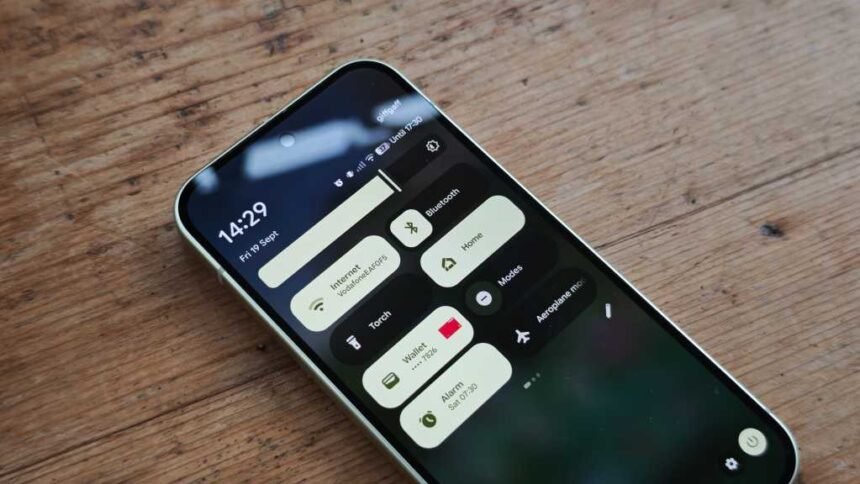
Android phones are essential tools in our daily lives, but their battery life can sometimes be a challenge. To make the most of your Android device and ensure it lasts longer, there are several simple tips and tricks you can follow. From disabling certain features to using built-in settings, these strategies can help improve your phone’s battery life by up to 25%. Let’s explore some effective ways to optimize your Android phone’s battery life without compromising on functionality.

1. Turn off the always-on display

One way to conserve battery power on your Android phone is by disabling the always-on display feature. While this feature can be convenient for checking notifications, it can drain your battery quickly. By turning it off in the Settings menu, you can extend your phone’s battery life significantly.

2. Disable GPS when not in use

Another tip to save battery power is to disable GPS when you’re not using it. Location Services consume a significant amount of battery, so turning it off when not needed can help your phone last longer. Simply toggle the Location Services option in the Settings menu to conserve battery life.

3. Remove resource-intensive apps

Apps like Facebook and other social media platforms can be resource-intensive and drain your battery quickly. Consider removing these apps if you don’t use them frequently to save power and improve your phone’s performance.

4. Try bedtime mode to reduce phone usage

Bedtime mode is a useful feature on Android phones that can help reduce your phone usage and conserve battery power. By enabling this mode in the Digital Wellbeing settings, you can limit notifications and encourage yourself to use your phone less, ultimately saving battery life.

See also  Android's Enhanced Defense System: Shielding Users from Phone Call Scammers

5. Place your phone face down

Placing your phone face down can disable notifications and calls, except from your favorite contacts. This simple trick, enabled by the “Flip to Shh” option in Settings, can help you use your phone less and save battery power in the process.

6. Check your usage score

Monitoring your app usage through the Digital Wellbeing feature can give you insights into which apps are consuming the most battery. By identifying and removing unnecessary apps, you can extend your phone’s battery life and optimize its performance.

7. Reduce the screen timeout time

Adjusting your phone’s screen timeout settings can also help save battery power. By reducing the time it takes for your screen to turn off, you can minimize unnecessary power consumption and improve your phone’s overall battery life.

By implementing these tips and tricks, you can maximize your Android phone’s battery life and ensure that it lasts longer throughout the day. Try incorporating these strategies into your daily routine to enjoy extended battery performance without compromising on functionality.

TAGGED: Android, Battery, Life, Maximizing, Phone, Tips
Share This Article
Facebook LinkedIn Email Copy Link Print
Previous Article Analyzing Krilogy Financial’s $15 Million Investment in Victoryshares Free Cash Flow ETF: Is it a Smart Move for Investors?
Next Article The Ultimate Handbook for Creating Mobile Insurance Apps The Ultimate Handbook for Creating Mobile Insurance Apps
Leave a comment

Leave a Reply Cancel reply

Your email address will not be published. Required fields are marked *

Your Trusted Source for Accurate and Timely Updates!

Our commitment to accuracy, impartiality, and delivering breaking news as it happens has earned us the trust of a vast audience. Stay ahead with real-time updates on the latest events, trends.
FacebookLike
LinkedInFollow

Popular Posts

The Next $3 Trillion Tech Titan: Unstoppable Stock Set to Join Nvidia, Microsoft, and Apple

Summary: 1. Meta Platforms is a tech giant with a market cap of $1.9 trillion,…

August 23, 2025

OpenAI’s Stargate Data Center Soars to New Heights in Abu Dhabi Expansion

OpenAI Partners with G42 to Develop Major Data Center in the UAE OpenAI, known for…

May 22, 2025

Week in Review: Most popular stories on GeekWire for the week of April 20, 2025

Stay up-to-date with the latest technology and startup news from the previous week. Here are…

April 27, 2025

EfficiencyIT Receives Royal Seal of Approval with Prestigious Warrant of Appointment

Summary: EfficiencyIT has been awarded a Royal Warrant of Appointment by His Majesty King Charles…

May 16, 2025

Unleashing the Power of Agentic AI: Realizing the True Potential in 2025

The blog discusses the rise of cloud intrusions, specifically how North Korean operatives infiltrated numerous…

August 8, 2025

You Might Also Like

Motorola Slimline: A Flagship Review
Technology

Motorola Slimline: A Flagship Review

SiliconFlash Staff
Exclusive Look: Nothing Phone (4a) Full Specifications Revealed
Technology

Exclusive Look: Nothing Phone (4a) Full Specifications Revealed

SiliconFlash Staff
Introducing Dyson’s Sleek PencilWash: A Revolutionary Wet Floor Cleaner Coming Soon
Technology

Introducing Dyson’s Sleek PencilWash: A Revolutionary Wet Floor Cleaner Coming Soon

SiliconFlash Staff
Google Pixel 9: The Ultimate Value Over Pixel 10
Technology

Google Pixel 9: The Ultimate Value Over Pixel 10

SiliconFlash Staff
logo logo
Facebook Linkedin Rss

About US

Silicon Flash: Stay informed with the latest Tech News, Innovations, Gadgets, AI, Data Center, and Industry trends from around the world—all in one place.

Top Categories
  • Technology
  • Business
  • Innovations
  • Investments
Usefull Links
  • Home
  • Contact
  • Privacy Policy
  • Terms & Conditions

© 2025 – siliconflash.com – All rights reserved

Welcome Back!

Sign in to your account

Lost your password?