

Sunday, 1 Mar 2026
Subscribe
logo logo
  • Global
  • Technology
  • Business
  • AI
  • Cloud
  • Edge Computing
  • Security
  • Investment
  • More
    • Sustainability
    • Colocation
    • Quantum Computing
    • Regulation & Policy
    • Infrastructure
    • Power & Cooling
    • Design
    • Innovations
  • 🔥
  • data
  • revolutionizing
  • Stock
  • Investment
  • Future
  • Secures
  • Growth
  • Top
  • Funding
  • Power
  • Center
  • technology
Font ResizerAa
Silicon FlashSilicon Flash
Search
  • Global
  • Technology
  • Business
  • AI
  • Cloud
  • Edge Computing
  • Security
  • Investment
  • More
    • Sustainability
    • Colocation
    • Quantum Computing
    • Regulation & Policy
    • Infrastructure
    • Power & Cooling
    • Design
    • Innovations
Have an existing account? Sign In
Follow US
© 2022 Foxiz News Network. Ruby Design Company. All Rights Reserved.
Silicon Flash > Blog > Technology > Master Your iPhone 17: Expert Tips and Tricks for Enhanced Performance
Technology

Master Your iPhone 17: Expert Tips and Tricks for Enhanced Performance

Published October 31, 2025 By SiliconFlash Staff
Share
6 Min Read
Master Your iPhone 17: Expert Tips and Tricks for Enhanced Performance
SHARE
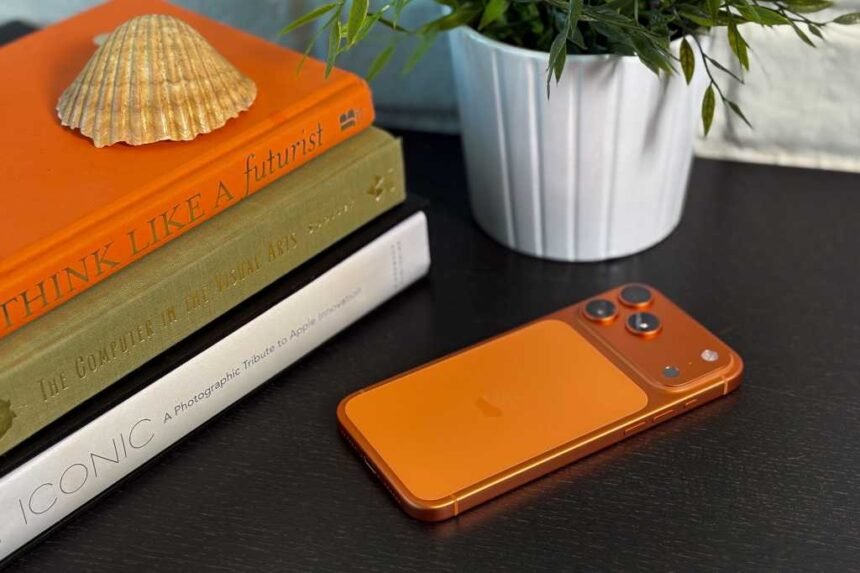
Apple has introduced the iPhone 17 series, which brings a range of new features and enhancements. From the ProMotion Display to the innovative design of the iPhone Air, each model offers something unique. The iPhone 17 Pro and Pro Max come with professional features like ProRes RAW and GenLock, making them suitable for professional use. The latest iOS 26 user experience has a new look with Liquid Glass and other additions. Whether you are new to the iPhone 17 series or a long-time user, this guide offers helpful tips and tricks to enhance your experience.

Customize the lock screen clock by adjusting the font, color, and scaling options. The Always On Display feature combined with the clock customization provides a useful functionality. You can also experiment with the Liquid Glass aesthetic or the traditional flat appearance of iOS. To customize the lock screen clock, press and hold on a blank area of the lock screen, tap on the Customise button, and adjust the clock to your preference.

iOS 26 introduces Spatial Scene lock screen effects, adding a 3D effect to compatible images on the lock screen. By selecting a compatible image and enabling Spatial Scenes, you can create a dynamic lock screen experience. To enable Spatial Scenes, go to Settings, tap on Wallpaper, select a photo, and enable the Spatial Scenes feature.

Enhance your typing experience with hidden keyboard shortcuts on iOS. These shortcuts allow you to access capital letters, numbers, and specialized keyboards with ease. By long-pressing on keys like Shift, Numbers, and Emoji, you can unlock hidden features like swipe-typing and cursor movement.

See also  Forecasting the Top AI Stocks for 2026: Predictions for High Performance

Improve the feel of your iPhone with faster haptics by adjusting the Haptic Touch duration in the Accessibility settings. This tweak enhances the feedback you receive from the Taptic Engine, making interactions smoother and more responsive. Experiment with different duration options to find the setting that suits you best.

Disable Control Centre on your lock screen to enhance security and prevent unauthorized access to key features. By going to Face ID & Passcode in Settings and disabling Control Centre access, you can protect your device from potential threats. Test the setting by swiping down from the top right corner of the lock screen to ensure Control Centre is disabled.

Set a custom ringtone by using audio files in the Files app. By downloading a compatible audio file and selecting “Use As Ringtone,” you can personalize your ringtone. Keep in mind that the audio file must be shorter than 30 seconds to work as a ringtone.

Monitor your battery percentage by enabling the Battery Percentage feature in the Battery settings. This allows you to keep track of your device’s charge level and optimize battery health over time. Combine this setting with Optimised Battery Charging for better long-term battery performance.

Enable Adaptive Power Mode to automatically adjust power settings based on usage. This feature optimizes brightness and performance to conserve battery life and improve overall efficiency. Turn on Adaptive Power Mode in the Power Mode settings to benefit from dynamic power management.

Turn on Vehicle Motion Cues in the Accessibility settings to reduce motion sickness when using your phone in a moving vehicle. These cues provide visual indicators that counteract motion effects, making it easier to use your device while on the go. Customize the appearance of the motion cues to suit your preferences.

See also  Comparing DDR5, DDR4, and DDR3: Selecting the Best RAM for Server Performance

Enhance Apple Intelligence by integrating ChatGPT into the iOS experience. By enabling ChatGPT in the Apple Intelligence & Siri settings, you can access advanced AI capabilities for improved assistance and information retrieval. Use ChatGPT for a more intelligent and personalized AI experience on your iPhone.

Capture high-quality video by default with 4K 60fps video settings in the Camera app. Adjust the resolution and frame rate to capture stunning videos with your iPhone. Increase the video quality to 4K at 60fps for sharp and smooth footage that showcases the capabilities of your device.

Add a grid and level to your camera settings for improved framing and composition. The grid helps you align your shots using the rule of thirds, while the level ensures your camera is straight and parallel to the ground. These tools enhance your photography skills and help you capture professional-looking photos.

Disable Macro Control to prevent automatic switching to Macro Mode when taking close-up shots. By turning off Macro Control in the Camera settings, you can maintain control over which lens is used for capturing images. This setting gives you more flexibility and control over your photography preferences.


TAGGED: enhanced, Expert, iPhone, Master, Performance, Tips, Tricks
Share This Article
Facebook LinkedIn Email Copy Link Print
Previous Article Breaking News: First Solar Stock Soars to New Heights Breaking News: First Solar Stock Soars to New Heights
Next Article Spooky Selection: Top Free Horror Movies for a UK Halloween Spooky Selection: Top Free Horror Movies for a UK Halloween
Leave a comment

Leave a Reply Cancel reply

Your email address will not be published. Required fields are marked *

Your Trusted Source for Accurate and Timely Updates!

Our commitment to accuracy, impartiality, and delivering breaking news as it happens has earned us the trust of a vast audience. Stay ahead with real-time updates on the latest events, trends.
FacebookLike
LinkedInFollow

Popular Posts

Forecasting the Future: Top Healthcare App Development Trends for 2025

by Sarah Johnson With the rise of mobile applications transforming various aspects of our lives,…

January 8, 2026

The Impact of Meme Stocks and Short Squeezes on Robinhood and Its Investors

Article Title: The Resurgence of Meme Stocks: How Robinhood is Profiting Summary: 1. Robinhood Markets…

October 20, 2025

Logging In, Not Breaking In: The Rise of Malware-Free Intrusions

Generative AI is transforming the landscape of identity security, ushering in a new era of…

October 15, 2025

Exploring the Impact of Generative AI on FinTech: Advantages, Applications, and Illustrations

by John Doe Generative AI in the fintech industry is revolutionizing financial operations, offering solutions…

December 16, 2025

Tencent’s Breakthrough in AI Testing: Setting a New Standard for Creative Models

Summary: 1. Tencent introduces ArtifactsBench to improve testing of creative AI models. 2. The benchmark…

July 9, 2025

You Might Also Like

Motorola Slimline: A Flagship Review
Technology

Motorola Slimline: A Flagship Review

SiliconFlash Staff
Exclusive Look: Nothing Phone (4a) Full Specifications Revealed
Technology

Exclusive Look: Nothing Phone (4a) Full Specifications Revealed

SiliconFlash Staff
Introducing Dyson’s Sleek PencilWash: A Revolutionary Wet Floor Cleaner Coming Soon
Technology

Introducing Dyson’s Sleek PencilWash: A Revolutionary Wet Floor Cleaner Coming Soon

SiliconFlash Staff
Revolutionizing Storage: IBM Unveils FlashSystem Enhanced with AI Technology
Infrastructure

Revolutionizing Storage: IBM Unveils FlashSystem Enhanced with AI Technology

Juwan Chacko
logo logo
Facebook Linkedin Rss

About US

Silicon Flash: Stay informed with the latest Tech News, Innovations, Gadgets, AI, Data Center, and Industry trends from around the world—all in one place.

Top Categories
  • Technology
  • Business
  • Innovations
  • Investments
Usefull Links
  • Home
  • Contact
  • Privacy Policy
  • Terms & Conditions

© 2025 – siliconflash.com – All rights reserved

Welcome Back!

Sign in to your account

Lost your password?