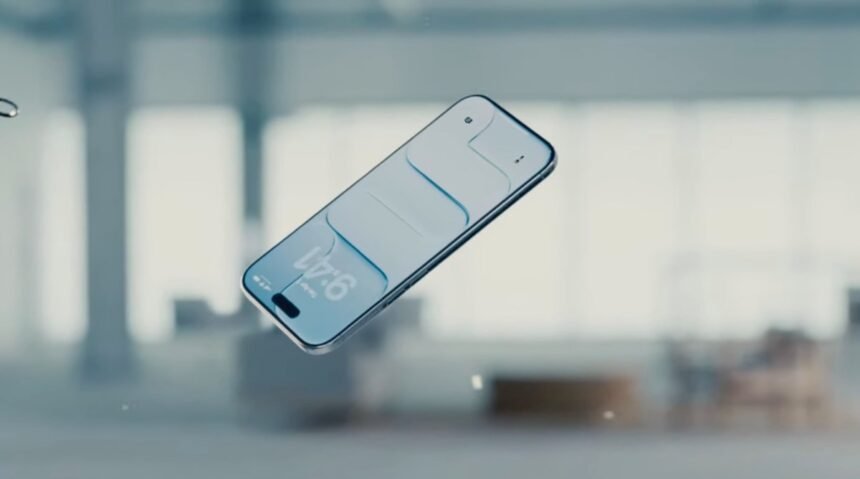
Apple has introduced a new feature in iOS 26.2 that allows users to adjust the transparency of Liquid Glass elements on their devices. This update gives users more control over the appearance of their Lock Screen’s clock, addressing concerns raised by some users about readability issues. The latest change follows a previous update that included a slider for adjusting the opacity of Liquid Glass elements, a design choice that received mixed reviews from users.
Launched with iOS 26, Apple’s new design language for its devices introduces semi-transparency to various interface elements like buttons, sliders, and notifications. These elements also have glass-like optical properties, refracting light for a unique visual effect.
Apple’s Liquid Glass design, aimed at modernizing its operating systems and potentially paving the way for future AI smart glasses integration, has received mixed feedback from users. Some users found the transparency challenging to navigate, especially when it came to reading important information like notifications or artist names in Apple Music. In response to user feedback, Apple released a tool in iOS 26.1 to allow users to revert to a more traditional interface look if desired.
In the latest update, Apple has introduced a slider for adjusting the clock’s “glassiness” on the Lock Screen, giving users more customization options for the Liquid Glass elements. This user-controlled feature represents a step back from the full transparency of the initial update, offering a more tailored experience for users.
These adjustments suggest that Apple is open to refining the Liquid Glass design based on user feedback, signaling a commitment to improving user experience. Notably, this update coincides with the departure of Alan Dye, the design executive responsible for the Liquid Glass makeover, who has been replaced by Stephen Lemay, a seasoned Apple designer with expertise in interface and interaction design.
Aside from the Liquid Glass tweak, iOS 26.2 introduces several new features to enhance user experience. Users can now generate AirDrop codes to share with non-contacts, granting temporary access for file sharing. The Reminders app now supports alarms, Apple News includes a Following tab for easier navigation, Apple Music offers offline lyrics, and the Podcasts app adds AI-generated chapters and a Podcast Mention feature.
Apple Watch users will also benefit from a new Sleep Score feature that evaluates sleep quality and goal achievement. Additionally, Apple has rolled out essential security updates across its product lineup to address vulnerabilities exploited in recent hacking campaigns.